
Cyber Insurance Readiness Guide
Preparing Your Business for Cyber Insurance Starts Before the Application
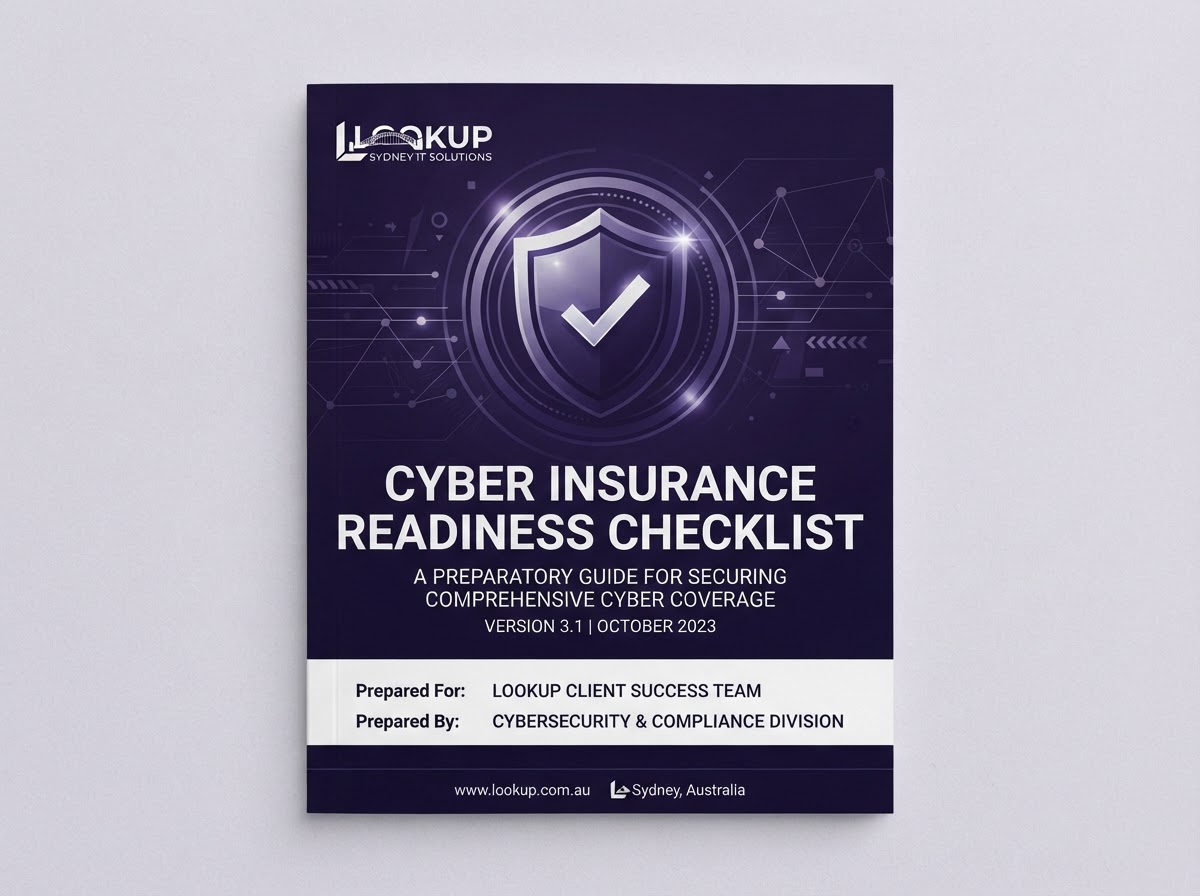
Cyber insurance has become an important part of business risk management. Insurers increasingly assess an organisation's cyber security maturity before offering or renewing cover. This executive guide explains the practical security, governance and technology improvements that help businesses reduce cyber risk and become better prepared for cyber insurance conversations.
Why Cyber Insurance Has Changed
Cyber insurance has evolved significantly over the past decade. What began as a niche product has become a standard consideration for Australian businesses that rely on digital systems, handle sensitive information or communicate with clients by email.
The shift has been driven by several converging factors. Ransomware attacks have grown in frequency and sophistication, targeting businesses of every size. Business email compromise — where attackers impersonate staff or suppliers to redirect payments — has become one of the most common and costly incidents affecting Australian SMBs. Supply chain attacks, where a compromise at a vendor or partner exposes your business, have further expanded the attack surface.
Regulatory expectations have increased, with breach notification obligations and privacy requirements placing more responsibility on business owners. Customers, partners and suppliers increasingly expect the businesses they work with to demonstrate sound security practices. In response, insurers have tightened underwriting, raised premiums and introduced more detailed security questionnaires before offering or renewing cover.
The practical effect is straightforward: businesses with weak or undocumented security face higher premiums, reduced cover, exclusions or declined applications. Businesses with strong, well-documented controls are better positioned to secure cover, negotiate terms and demonstrate resilience — regardless of the insurance outcome.
What Insurers Commonly Assess
While every insurer has different requirements, these are the controls most commonly assessed during application and renewal. Insurers vary and businesses should always confirm current underwriting requirements with their insurer or broker.
Multi-Factor Authentication
Requiring a second verification step beyond passwords for user accounts, especially for email, remote access and administrative privileges.
Endpoint Protection
Managed antivirus and advanced threat protection on every business device, with centralised monitoring and response.
Email Security
Filtering, anti-phishing controls and sender authentication to reduce business email compromise — the most common claim trigger.
Backups
Regular, tested backups stored offline or offsite, with documented recovery procedures. Untested backups are not a control insurers rely on.
Identity Management
Conditional access policies, privileged account management and least-privilege principles that limit what a compromised account can access.
Business Continuity
A documented plan for keeping the business operating during and after a security incident, including communications and recovery.
Security Awareness Training
Regular staff training on phishing, password hygiene and reporting suspicious activity — because most incidents begin with a person.
Incident Response Planning
A written plan that defines roles, steps and contacts when a security incident occurs, so the business responds rather than improvises.
Cyber Insurance Is Not a Substitute for Cyber Security
A common misconception is that holding a cyber insurance policy means security no longer matters. The opposite is true. Insurance transfers some financial risk after an incident occurs. Security reduces the likelihood and impact of incidents in the first place.
Strong cyber security supports business continuity, customer confidence and resilience regardless of insurance outcomes. When an incident occurs, the business still experiences disruption, lost productivity, reputational damage and the cost of recovery. Insurance may cover some of the financial impact, but it does not prevent the incident, restore customer trust on its own or keep operations running during the response.
Insurers understand this. That is why applications increasingly require evidence of security controls, and why weak or undocumented security can lead to higher premiums, coverage exclusions or denied claims. The businesses that achieve the best insurance outcomes are usually those that have already invested in strong security — not because they are gaming the system, but because they genuinely present a lower risk.
The most resilient approach combines both: strong security to prevent and limit incidents, and appropriate insurance to transfer residual financial risk. Security is the foundation. Insurance is the safety net.
Cyber Insurance vs Cyber Security
Cyber insurance and cyber security serve different but complementary purposes. Understanding the distinction helps businesses build a more resilient risk management strategy.
| Aspect | Cyber Security | Cyber Insurance |
|---|---|---|
| Primary Purpose | Prevents and reduces the likelihood and impact of incidents | Transfers some financial risk after an incident occurs |
| When It Acts | Before and during an incident | After an incident has occurred |
| What It Protects | Systems, data, identity and operations | Financial losses, liability and recovery costs |
| Business Continuity | Keeps the business running during disruption | Helps fund recovery but does not prevent downtime |
| Customer Trust | Built through demonstrated, ongoing controls | Provides reassurance but does not replace visible security |
| Insurer Expectations | Strong controls improve insurability and terms | Requires evidence of security before offering cover |
| On Its Own | Reduces risk but does not cover financial loss | Covers some costs but does not prevent incidents |
Strong cyber security and appropriate insurance together support business resilience and risk management. Security reduces the likelihood and impact of incidents, while insurance provides a financial safety net for the residual risk that no control can fully eliminate. The most resilient businesses invest in both — not one or the other.
How Microsoft 365 Supports Cyber Insurance Readiness
For most Australian businesses, Microsoft 365 is the primary platform for email, documents and collaboration. It is also where many security controls insurers assess are configured. A well-managed Microsoft 365 environment directly strengthens cyber insurance readiness.
Microsoft Defender provides endpoint protection, email threat filtering and cloud app security within the Microsoft ecosystem. Microsoft Entra ID (formerly Azure AD) manages identity, with Conditional Access policies that control who can access what, from where and under what conditions. Multi-Factor Authentication, the single most commonly assessed control, is configured through Entra ID.
Microsoft Secure Score provides a measurable indicator of your Microsoft 365 security posture, tracking progress across identity, data, device and application controls. Insurers and brokers increasingly recognise Secure Score as evidence of a managed environment. Device management through Microsoft Intune extends security policies to laptops, phones and tablets — essential for hybrid and remote workforces.
Email protection, including anti-phishing controls and sender authentication, addresses business email compromise — the incident type that generates the most cyber insurance claims for Australian SMBs. Identity security through Conditional Access and least-privilege principles limits the damage a compromised account can cause.
The key message is simple: a well-configured Microsoft 365 environment is not just a productivity platform. It is a security foundation that insurers can evaluate and that genuinely reduces business risk.
Essential Eight and Cyber Insurance
The Essential Eight is the Australian Signals Directorate's baseline set of eight mitigation strategies. It has become a recognised reference point for Australian insurers, brokers and underwriters assessing security maturity.
Insurers often expect strong baseline security controls, and the Essential Eight provides a structured, recognised framework for demonstrating them. The eight controls address the most common attack vectors:
- Application Control — preventing unapproved software from running
- Patch Management — keeping operating systems and applications current
- Multi-Factor Authentication — verifying identity beyond passwords
- Least Privilege — limiting administrative access to those who need it
- Backups — regular, tested and protected against tampering
- Macro Controls — blocking or restricting Microsoft Office macros
- User Application Hardening — securing browsers and productivity tools
- Operating System Updates — applying security patches promptly
The Essential Eight strengthens security regardless of insurance requirements. It reduces the likelihood and impact of ransomware, business email compromise and other common incidents. For insurance purposes, it provides a structured, evidence-based way to demonstrate that your business takes security seriously and has implemented recognised controls.
Governance Matters
Technology controls are only part of the picture. Insurers increasingly look for evidence of governance — the policies, ownership and processes that ensure security remains effective over time. A business with strong technical controls but no governance is difficult to assess and harder to trust.
Executive ownership is the starting point. Security needs a named person at leadership level who is accountable, not just a general statement that "IT handles it." Policies document what the business expects — acceptable use, access management, incident reporting and data handling. Risk management ensures those policies are reviewed and updated as the business and threat landscape evolve.
Incident response planning defines what happens when something goes wrong — who is contacted, what steps are taken and how the business recovers. Business continuity planning ensures operations can continue during and after an incident. Supplier management extends security expectations to the vendors and partners who access your systems or data.
Staff awareness turns policies into practice. The best controls fail if employees do not understand their responsibilities. And continuous review ensures the whole framework stays current. Governance is what transforms security from a one-off project into a managed business capability — and it is what insurers are increasingly asking to see.
Cyber Insurance Readiness Roadmap
A structured approach to improving your security posture and preparing for insurance conversations.
Step 1
Understand Business Risks
Identify your most valuable information, the threats most likely to target your business and the potential impact of disruption.
Step 2
Assess Current Security
Review existing controls, identify gaps and benchmark against frameworks like Essential Eight to understand where you stand today.
Step 3
Strengthen Microsoft 365
Enable Multi-Factor Authentication, configure Conditional Access, improve Microsoft Secure Score and protect email against phishing.
Step 4
Implement Essential Eight
Work through the Essential Eight controls — patching, application control, MFA, backups and more — as a practical baseline.
Step 5
Develop Governance
Document policies, assign ownership, define incident response procedures and establish regular security reviews.
Step 6
Review Business Continuity
Ensure your business can continue operating during an incident, with tested backups, communications plans and recovery procedures.
Step 7
Prepare Insurance Discussions
Document your controls, maturity and improvements so you can present a clear security posture to your insurer or broker.
Step 8
Continuously Improve
Security is not a one-off project. Review controls, update policies and re-test regularly to maintain and improve your posture.
How Ready Is Your Business?
Every organisation sits somewhere on the cyber security maturity spectrum. Understanding your current level helps prioritise investments and build a practical roadmap for improvement.
Level 1
Basic
Security is reactive and ad hoc. No documented policies, minimal Microsoft 365 configuration, no incident response plan and untested backups. Issues are addressed only after they cause disruption.
Level 2
Developing
Some controls are in place — MFA may be partially enabled and basic endpoint protection exists. Governance is limited, documentation is inconsistent and incident response is informal.
Level 3
Established
Microsoft 365 is actively managed with Conditional Access and improved Secure Score. Policies are documented, backups are tested and staff receive regular security awareness training.
Level 4
Mature
Essential Eight controls are implemented and reviewed. Incident response and business continuity plans are tested. Governance is well established with clear ownership and regular reviews.
Level 5
Leading
Security is embedded across the business with continuous monitoring, regular penetration testing and proactive improvement. Governance, documentation and resilience are comprehensive and auditable.
Most organisations operate somewhere between Basic and Established. The objective is not to reach perfection overnight — it is to focus on continuous improvement, strengthen your foundations over time and build a security posture that supports both insurance readiness and long-term business resilience.
Executive Checklist
A practical checklist to assess your organisation's cyber insurance readiness.
- Multi-Factor Authentication enabled for all users
- Business email protected with filtering and anti-phishing
- Backups in place and tested with a documented restore process
- Microsoft Secure Score reviewed and improved
- Incident response plan documented and accessible
- Business continuity plan established and communicated
- Security awareness training completed by all staff
- Essential Eight controls reviewed and prioritised
- Identity protection including Conditional Access configured
- Governance policies documented with clear ownership
Download the Cyber Insurance Readiness Checklist
Get a printable PDF version of this checklist to share with your leadership team, use during security reviews, or prepare for your next cyber insurance conversation.
Download the Checklist PDFNo obligation. We'll send the PDF and follow up if you'd like help working through it.
Common Mistakes
The most common pitfalls businesses encounter when preparing for cyber insurance.
Buying insurance without improving security
Insurance does not prevent incidents. Strong security reduces the likelihood and impact of a claim.
Assuming insurance prevents incidents
Insurance transfers some financial risk after an event. It does not stop the event from happening.
Weak password practices
Passwords alone are no longer sufficient. MFA is the single most effective control against account compromise.
Ignoring Microsoft 365 security
Default Microsoft 365 settings leave significant gaps. Secure Score and Conditional Access matter.
No governance
Without documented policies and ownership, security decisions are ad hoc and difficult to evidence.
No incident response plan
When an incident occurs, improvisation costs time and money. A written plan means a faster, cheaper response.
No testing
Untested backups and unreviewed controls provide false confidence. Testing turns assumptions into evidence.
Poor documentation
Insurers and brokers need evidence of controls. Undocumented security is difficult to present and harder to rely on.
Frequently Asked Questions
Do we need cyber insurance?
Most businesses that handle sensitive information, rely on email or depend on digital systems benefit from cyber insurance. It helps transfer some financial risk after an incident. Whether it is necessary depends on your risk appetite, regulatory obligations and the potential cost of a breach or outage.
Does cyber insurance replace cyber security?
No. Insurance transfers some financial risk after an incident occurs. Cyber security reduces the likelihood and impact of incidents in the first place. Insurers increasingly require evidence of strong security controls before offering cover, and weak security can lead to denied claims.
What security controls do insurers usually ask about?
Insurers commonly assess Multi-Factor Authentication, endpoint protection, email filtering, backups, identity management, business continuity planning, security awareness training and incident response procedures. Requirements vary between insurers, so always confirm current expectations with your insurer or broker.
Is Microsoft 365 secure enough for cyber insurance?
Microsoft 365 can be highly secure when configured correctly, but default settings often leave gaps. Enabling Multi-Factor Authentication, configuring Conditional Access, improving Microsoft Secure Score and protecting email against phishing are all steps insurers expect. A well-managed Microsoft 365 environment strengthens both security and insurance readiness.
How does MFA affect insurance?
Multi-Factor Authentication is one of the most frequently assessed controls. Most insurers now expect MFA on remote access, email and administrative accounts. Without it, premiums may be higher, cover may be limited or applications may be declined. MFA is the single most effective control against business email compromise.
Can Essential Eight improve cyber insurance readiness?
Yes. The Essential Eight provides a recognised, structured baseline of security controls that insurers increasingly reference. Implementing Essential Eight demonstrates a mature, proactive approach to security. It strengthens your environment regardless of insurance requirements and provides evidence insurers can evaluate.
How often should we review our security?
Security should be reviewed at least annually, and after any significant business or technology change. Regular reviews ensure controls remain effective, policies stay current and new risks are addressed promptly. Continuous improvement is more valuable than a one-off assessment.
Can LOOKUP help us prepare for cyber insurance?
Yes. LOOKUP helps businesses assess their current security posture, implement practical controls, strengthen Microsoft 365 and document governance. We work with you to build a security foundation that supports both insurance readiness and long-term business resilience. Book a cyber security assessment to get started.
What happens if we have a security incident despite having insurance?
An incident response plan helps you respond quickly and minimise damage. Insurance may cover certain costs, but the business still experiences disruption, reputational impact and operational downtime. Strong security reduces the likelihood of an incident and limits its impact when one occurs.
Are backups really that important to insurers?
Yes. Backups are one of the most critical controls for ransomware recovery. However, insurers increasingly ask whether backups are tested, stored separately from the production environment and protected against tampering. Untested backups are not a reliable control.
Does implementing security guarantees lower premiums?
No. Strong security can improve your insurability and may influence pricing, but insurers consider many factors. The primary value of security is reducing operational risk and business disruption. Improved insurance outcomes are a secondary benefit, not a guarantee.
What is the difference between security and governance?
Security refers to the technical controls that protect your environment — MFA, endpoint protection, backups. Governance refers to the policies, ownership and processes that ensure those controls remain effective over time. Insurers assess both. Technology without governance is difficult to evidence and maintain.
Can a small business meet insurer security expectations?
Yes. Most insurer requirements are achievable for small businesses with the right support. Multi-Factor Authentication, endpoint protection, email filtering and tested backups are practical controls that scale to any organisation. LOOKUP helps small businesses implement these without enterprise budgets.
How long does it take to improve cyber insurance readiness?
It depends on your current security maturity. Businesses with no controls in place may need several months to build a solid foundation. Those with existing security can often document and improve their posture in weeks. A security assessment provides a clear timeline based on your environment.
Where should we start?
Start by understanding your current security posture. A cyber security assessment identifies gaps, prioritises improvements and provides a practical roadmap. Multi-Factor Authentication and email protection are usually the highest priorities because they address the most common and costly incidents.
Should we discuss cyber insurance with our broker?
Yes. Insurance requirements differ between insurers and change over time, so it is important to seek advice from your insurer or broker about current underwriting expectations. At the same time, strengthening your cyber security and governance puts you in the strongest position regardless of which insurer you speak with. A well-documented security posture makes those conversations more productive and often leads to better terms.
Business Outcomes
The practical outcomes of investing in cyber security and governance — beyond insurance.
Reduced Operational Risk
Fewer incidents, faster detection and a lower likelihood of disruption to your business.
Improved Resilience
The ability to detect, respond to and recover from security events without prolonged downtime.
Stronger Customer Confidence
Clients trust businesses that take information security seriously and can evidence their controls.
Better Governance
Clear policies, ownership and review processes that make security a managed business capability.
Improved Insurer Conversations
Documented controls and a clear security posture make insurance applications and renewals smoother.
Higher Security Maturity
A measurable improvement in your organisation's overall security posture over time.
Business Continuity
Confidence that your business can keep operating during and after a security incident.
Long-Term Technology Confidence
A security foundation that supports growth, cloud adoption and future AI initiatives.
Related Resources
Ready to Strengthen Your Cyber Security Posture?
Whether you're preparing for a cyber insurance renewal or simply want to improve your organisation's resilience, LOOKUP can help assess your current environment, identify practical improvements and build a long-term cyber security roadmap. We work with businesses across Sydney from our Rockdale headquarters, with client meetings available by appointment in Sydney CBD, Kensington and Parramatta.
Or call us directly on 1300 553 559
Peter Kantarelis
Founder, LOOKUP — Business Technology Strategist
Peter Kantarelis is the Founder of LOOKUP and a business technology strategist helping Australian organisations modernise technology, strengthen cyber security and prepare for practical AI adoption. He regularly works with business owners and leadership teams to improve productivity, reduce operational risk and implement technology that delivers measurable business outcomes.
With more than 25 years of experience supporting Australian small and medium businesses, Peter helps organisations navigate cyber insurance readiness, Essential Eight compliance and Microsoft 365 security — translating technical complexity into practical business decisions.
Get the latest IT & AI insights
Join over 5,000 SMB owners receiving our weekly newsletter on tech trends, security alerts, and AI automation tips.
We respect your privacy. Unsubscribe at any time.