
Reducing Administrative Overhead in an Accounting Firm
An executive guide for accounting firm partners, directors and practice managers on how to reduce administrative work through process understanding, standardisation, automation and practical AI — without compromising client service, governance or professional judgement.
The short answer
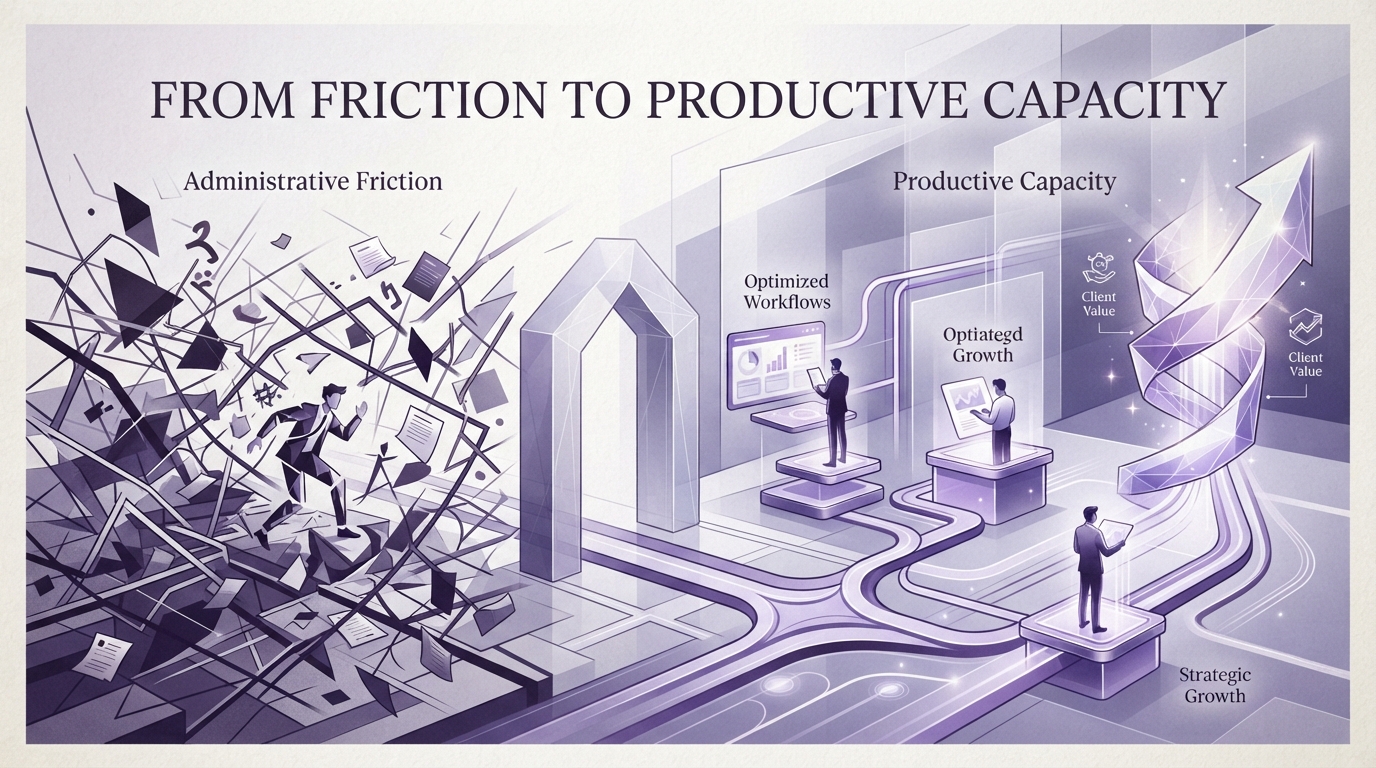
Reducing administrative overhead in an accounting firm is rarely achieved by purchasing a single tool. It begins with understanding where staff time is actually being consumed, then determining whether each friction point should be eliminated, standardised, simplified, integrated, automated, AI-assisted, or left as a deliberate human process.
The objective is not simply fewer administrative tasks. The objective is to create more productive capacity for client service, advisory work, professional review, relationship management and higher-value work that drives practice growth.
LOOKUP helps accounting firms approach this challenge using the LOOKUP Business Modernisation Framework™ — ensuring that automation and AI follow process understanding, not the other way around.
Where does administrative overhead come from?
Administrative overhead rarely stems from one system or one inefficient employee. It accumulates across dozens of small, repeated steps that individually seem manageable but collectively consume significant professional capacity.
Common friction points in growing accounting practices include:
Client onboarding
Inconsistent processes across staff, duplicated data entry and manual welcome communications.
Document collection
Repeated follow-up emails to clients for missing information, tax returns and identity documents.
Email-driven workflows
Tasks, approvals and client requests managed through inbox threads rather than structured systems.
Appointment scheduling
Manual back-and-forth to coordinate meetings, deadlines and compliance lodgements.
Internal approvals
Unstructured approval processes that create bottlenecks and reduce visibility.
Data entry
The same client information typed into multiple systems because applications are not integrated.
Searching for information
Staff spending significant time looking for precedents, policies, client files and correspondence.
Client reminders
Manual follow-up for outstanding information, signatures and compliance deadlines.
Recurring compliance workflows
BAS, tax lodgement and audit cycles recreated manually each period.
Task handoffs
Work passed between staff without clear ownership, status tracking or documentation.
Reporting
Manual compilation of practice performance, utilisation and client reports.
Practice management updates
Keeping practice management systems current with manual data entry and status changes.
Accounting Firm Administrative Friction Map
Administrative overhead is a system problem, not isolated staff inefficiency. Small friction points accumulate across every client workflow, consuming professional capacity.
What are accounting firms really trying to achieve?
When firm partners say they want to "reduce admin," they are usually trying to achieve one or more of these business outcomes:
More productive professional capacity
Partners and staff spending more time on client service, advisory and review rather than administration.
Faster client response
Quicker turnaround on client queries, document requests and compliance lodgements.
More consistent workflows
Repeatable processes that produce predictable quality regardless of which staff member handles the work.
Reduced repetitive handling
Less duplicated data entry, manual follow-up and information re-keying across systems.
Better visibility
Clearer insight into workflow status, bottlenecks and practice performance.
Fewer unnecessary handoffs
Work flowing through the practice without manual intervention at every step.
Improved staff experience
Reduced frustration from repetitive tasks, allowing staff to focus on higher-value work.
More predictable service delivery
Consistent turnaround times and quality that clients can rely on.
Scalable operations
The ability to grow client numbers without proportionally increasing administrative overhead.
Safer technology adoption
Automation and AI introduced with appropriate governance, security and human oversight.
More time for advisory work
Professional capacity redirected from administration to higher-value advisory and client relationships.
Why adding more software does not necessarily solve the problem
Many firms respond to administrative pressure by purchasing another application. While new tools can help, technology fragmentation can actually increase administrative overhead when applications overlap, integrations are poor and staff use different processes for the same task. The same applies to document management — another platform does not solve the problem if the underlying information architecture is not designed first.
Common signs of technology fragmentation include:
Overlapping applications
Multiple tools performing similar functions with unclear ownership of which system is authoritative.
Duplicate information
The same client data stored in multiple systems, requiring manual synchronisation.
Inconsistent processes
Different staff using different tools and methods for the same workflow.
Poor integrations
Manual work required to move information between systems that should communicate automatically.
Software without process redesign
Applications purchased to solve a workflow problem without first understanding or improving the underlying process.
Unclear system ownership
No one responsible for maintaining, updating or governing the technology environment.
LOOKUP Perspective: Technology rationalisation can be as important as technology acquisition. Before purchasing another application, determine whether an existing platform can appropriately solve the business problem.
Standardise before you automate
Inconsistent processes are difficult to automate safely. If every staff member handles client onboarding differently, automating that workflow produces unpredictable results. Standardisation creates the foundation for reliable automation.
LOOKUP recommends a simple sequential model:
Current Process
Document how work actually flows today.
Remove
Eliminate unnecessary steps.
Standardise
Create consistent workflows.
Define Ownership
Clarify who is responsible.
Automate
Apply technology to the stabilised process.
Measure
Track outcomes and efficiency.
Improve
Refine and optimise continuously.
Some variation is legitimate and should remain. Not every professional workflow should be rigidly standardised — professional judgement, client circumstances and engagement complexity may require flexibility. The objective is consistency where consistency adds value.
Where automation can help
Once processes are understood and standardised, automation can reduce repetitive handling and create more consistent workflows. These are possible automation opportunities — not every process should be automated.
Client onboarding
Forms, document requests, internal task creation, welcome communications and engagement workflow triggers — with human review where required.
Document collection
Automated requests, reminder sequences, secure upload workflows and document routing to the correct staff member or folder.
Internal approvals
Structured approval workflows with notifications, escalation and audit trails where supported by your practice management or Microsoft 365 environment.
Recurring workflows
Task creation, deadlines, reminders, handoffs and completion notifications for BAS, tax lodgement and compliance cycles.
Reporting and notifications
Scheduled reporting, exception alerts, status updates and internal notifications that reduce manual compilation work.
Where AI can help — and where it should not
AI can assist with specific administrative activities, but it is not a replacement for professional judgement, client advice or material decisions. A balanced approach is essential.
Drafting
AI can produce first drafts of client communications, meeting summaries and internal documentation for human review.
Summarisation
Condensing long documents, meeting transcripts or email threads into concise summaries for review.
Research assistance
Helping locate precedents, policies and information across SharePoint and practice systems.
Information retrieval
Surfacing relevant client information, engagement history and internal knowledge.
Meeting summaries
Generating action items, decisions and summaries from meeting recordings or notes.
Document classification
Assisting with filing, tagging and organising documents based on content.
Workflow assistance
Supporting task creation, routing and status updates within governed processes.
Knowledge access
Making internal practice knowledge easier to find and reuse securely.
Professional judgement, client advice, material decisions and sensitive information handling require human oversight and appropriate governance. AI does not eliminate administrative work, and AI does not replace accountants. Generative AI output is not inherently accurate and must be reviewed before use in client-facing or compliance contexts.
The role of Microsoft 365
Many accounting firms already own Microsoft 365 capabilities that can support workflow improvement. Before purchasing another application, it is worth understanding what your existing platform can do.
Microsoft Teams
Structured communication, file collaboration and task coordination reducing email-driven workflows.
SharePoint
Centralised document management with consistent structure, permissions and searchability.
OneDrive
Secure personal file storage with controlled sharing and sync across devices.
Microsoft Forms
Structured data collection for client onboarding, surveys and internal requests.
Power Automate
Workflow automation connecting Microsoft 365 applications and approved third-party services.
Power Apps
Low-code applications for specific practice workflows where appropriate.
Microsoft Planner
Task management and team coordination integrated with Microsoft 365.
Microsoft Copilot
AI assistance for drafting, summarising and knowledge search within governed Microsoft 365 environments.
Microsoft Purview
Information protection, data governance and compliance capabilities across the Microsoft 365 tenant.
Not every feature is included in every Microsoft 365 licence. Capabilities vary by subscription tier. This page does not argue that Microsoft should replace specialist accounting or practice management applications — rather, that firms should understand what they already own before acquiring additional software.
Integrate specialist accounting systems rather than replace them unnecessarily
Accounting practices depend on specialist systems for practice management, tax, accounting, document management, client portals, payroll, CRM and workflow coordination. The objective should often be to improve the workflow between systems rather than replace systems that work well.
Integration approaches may include:
APIs
Application programming interfaces that allow systems to exchange data programmatically where supported.
Approved connectors
Vendor-supported integrations that connect practice management, accounting and document systems securely.
Power Automate
Microsoft's workflow platform for creating automated flows between Microsoft 365 and approved third-party applications.
Workflow platforms
Dedicated integration and automation platforms that connect multiple business systems.
Structured notifications
Automated alerts that reduce manual follow-up and keep staff informed of task status changes.
Data synchronisation
Keeping client and engagement information consistent across systems where appropriate.
Not every platform exposes suitable APIs, and not every integration is supported by the vendor. LOOKUP does not recommend unsupported integrations that could compromise data integrity, security or vendor support agreements.
How this maps to the LOOKUP Business Modernisation Framework™
Reducing administrative overhead follows the same structured eight-stage framework. This ensures process understanding comes before automation, and automation comes before AI — in the right order.
Understand the current environment
Protect identities, devices and information
Remove legacy technology constraints
Create consistent systems and processes
Improve workflows and productivity
Establish governance and AI readiness
Introduce technology deliberately
Measure, review and continuously improve
Understand the current environment
Protect identities, devices and information
Remove legacy technology constraints
Create consistent systems and processes
Improve workflows and productivity
Establish governance and AI readiness
Introduce technology deliberately
Measure, review and continuously improve
Discover
Identify where time and friction occur across the practice's workflows.
Secure
Ensure workflow changes protect client information and maintain appropriate access controls.
Modernise
Address legacy technology constraints that prevent integration and automation.
Standardise
Create repeatable processes that produce consistent outcomes.
Optimise
Remove unnecessary steps and simplify workflows before applying technology.
Prepare
Identify appropriate automation and AI opportunities with governance in place.
Implement
Deploy automation and AI deliberately, with training and human oversight.
Improve
Measure outcomes, refine workflows and continuously improve.
What success looks like
When administrative overhead is addressed systematically, the benefits extend beyond efficiency. Staff experience improves, client response accelerates and the practice gains capacity for growth.
More professional capacity
Partners and staff redirected from repetitive administration to client service, advisory and review.
Less repetitive handling
Reduced duplicated data entry and manual follow-up.
EfficiencyConsistent workflows
Repeatable processes producing predictable quality.
QualityFaster client response
Quicker turnaround on queries and requests.
ExperienceBetter visibility
Clearer insight into workflow status and bottlenecks.
OperationsFewer manual handoffs
Work flowing through the practice smoothly.
WorkflowImproved staff experience
Reduced frustration from repetitive tasks.
PeopleScalable operations
The ability to grow client numbers without proportionally increasing administrative overhead.
How to identify the best automation opportunities
Not every process should be automated. LOOKUP recommends assessing each candidate workflow against a structured set of criteria before investing in automation or AI.
Frequency
How often the process is performed. High-frequency tasks are strong candidates.
Time consumed
The total time spent on this process across the practice each week or month.
Repetition
How similar each iteration is. Highly repeatable processes are easier to automate.
Error potential
Whether manual handling produces errors that automation could reduce.
Business value
The value created by improving this process for clients and staff.
Information sensitivity
Whether the process handles confidential client data requiring special controls.
Process stability
Whether the workflow is well-understood and unlikely to change frequently.
Integration complexity
How many systems are involved and whether they support automation.
Human judgement required
Whether the process requires professional judgement that should remain human.
LOOKUP recommends prioritising high-frequency, repeatable, well-understood and low-ambiguity processes before complex professional decision-making. Start where automation can deliver clear value with minimal risk.
Automation Opportunity Matrix
Prioritise processes with high business value and high repeatability. Processes requiring significant human judgement should remain human even if they are repetitive.
Measure the outcome, not the technology
Successful modernisation should be measured against business outcomes — not the number of automations deployed, AI licences purchased or applications installed.
Time spent on a workflow
Total staff time consumed by a process before and after improvement.
Number of manual handoffs
How many times work passes between people or systems manually.
Client response time
How quickly the practice responds to client queries and requests.
Process completion time
End-to-end turnaround for standard workflows.
Rework
How often work needs to be corrected or redone.
Exception rates
How frequently a process deviates from the standard workflow.
Staff experience
Whether staff find workflows easier or more frustrating than before.
Client experience
Whether clients notice faster, more consistent service.
Research and industry insights
Several recognised organisations provide research and guidance relevant to accounting firms seeking to reduce administrative overhead through technology:
CPA Australia
CPA Australia's ongoing research into technology adoption, digital transformation and productivity highlights the growing pressure on accounting firms to modernise workflows and adopt digital tools. Their Business Technology Report series provides insights into how Australian practices are investing in technology to improve efficiency.
View source: CPA Australia Business Technology ReportChartered Accountants Australia and New Zealand (CA ANZ)
CA ANZ provides guidance on how accountancy professionals can adopt emerging technologies, including AI, ethically and sustainably — emphasising the importance of professional judgement and governance.
View source: CA ANZ Ethics for Sustainable AI AdoptionMicrosoft WorkLab
Microsoft's 2024 Work Trend Index surveyed 31,000 knowledge workers across 31 countries and found that 75% of the knowledge workers surveyed reported using AI at work. The research examines how AI-assisted activities such as drafting, summarising and information retrieval can affect the way knowledge workers perform administrative and information-heavy tasks.
View source: Microsoft Work Trend Index Annual ReportAustralian Cyber Security Centre (ACSC)
When introducing automation and AI, the ACSC's baseline security guidance remains relevant — ensuring workflow changes do not compromise information protection.
View source: ACSC Essential Eight Mitigation StrategiesThese organisations do not prescribe a single approach to workflow improvement. However, their guidance consistently points to the same conclusion: technology adoption should follow process understanding, governance and clear business objectives.
What this could look like in practice
For example, an accounting firm might encounter the following challenges and work through them using a structured technology approach.
Business Challenge
A growing accounting firm manages most client requests through email. Document follow-up is repetitive, internal tasks are created manually, onboarding processes differ between staff, and several disconnected applications require duplicate data entry. Workflow visibility is limited and there is growing interest in AI but no clear starting point.
LOOKUP Approach
- Discovered where staff time was being consumed across the practice's workflows
- Standardised client onboarding and document collection processes across all staff
- Simplified recurring compliance workflows by removing unnecessary steps
- Identified integration opportunities between practice management and Microsoft 365
- Implemented targeted automation for high-frequency, low-ambiguity processes
- Established governance for AI usage before introducing Copilot
- Measured outcomes against business metrics rather than technology activity
Potential Business Outcomes
- Reduced manual follow-up for document collection through automated reminder sequences
- More consistent onboarding experience for clients and staff
- Improved workflow visibility across the practice
- Reduced duplicate data entry between systems
- Staff redirected from repetitive administration to higher-value client work
- A governed foundation for AI adoption when the practice is ready
Frequently asked questions
How can an accounting firm reduce administrative overhead?
Start by identifying where staff time is being consumed, then determine whether each friction point should be eliminated, standardised, simplified, integrated, automated, AI-assisted or left as a deliberate human process. The objective is more productive capacity, not simply fewer tasks.
What accounting tasks can be automated?
High-frequency, repeatable and well-understood processes are the strongest candidates — document collection reminders, onboarding workflows, recurring task creation, internal notifications and scheduled reporting. Processes requiring professional judgement should remain human.
Should accounting firms automate client onboarding?
Onboarding is often a strong automation candidate because it is high-frequency and repeatable. However, the process should be standardised first, and higher-risk, regulated or judgement-dependent onboarding activities should retain appropriate human review.
Can Microsoft 365 automate accounting workflows?
Microsoft 365 includes workflow capabilities through Power Automate, Microsoft Forms, Teams and SharePoint. Many firms already own these tools. Before purchasing another application, it is worth understanding what your existing platform can do.
What is Power Automate?
Power Automate is Microsoft's workflow automation platform that connects Microsoft 365 applications and approved third-party services. It can create automated flows for tasks such as document routing, notifications and data synchronisation.
Should an accounting firm use AI for administrative work?
AI can assist with drafting, summarising, research and knowledge search. However, AI output should be reviewed before use in client-facing or compliance contexts, and sensitive client information should be handled according to the firm's governance policies.
Can AI replace administrative staff?
AI can reduce repetitive administrative work, but it does not replace the judgement, coordination and client relationship skills of experienced administrative staff. The objective is to redirect capacity to higher-value work, not to eliminate roles.
Can AI replace accountants?
AI can automate or assist with specific accounting and administrative tasks, but it does not replace the professional judgement, client relationships, contextual understanding and regulatory responsibilities of qualified accounting professionals. The more practical opportunity for firms is to use AI to reduce appropriate administrative work and support professionals in higher-value activities while maintaining suitable human oversight.
How should firms choose which processes to automate first?
Prioritise high-frequency, repeatable, well-understood and low-ambiguity processes before complex professional decision-making. Assess each candidate against frequency, time consumed, repetition, error potential, business value and human judgement required.
Should we automate a process before standardising it?
No. Automating an inconsistent process produces unpredictable results. Standardise the workflow first, then apply automation to the stabilised process.
Can automation integrate with accounting practice management software?
Integration depends on whether the practice management system exposes suitable APIs or supports approved connectors. LOOKUP does not recommend unsupported integrations that could compromise data integrity or vendor support.
How do we measure whether automation is working?
Measure business outcomes — time spent on a workflow, number of manual handoffs, client response time, process completion time, rework and staff experience. Do not measure success by the number of automations deployed.
Does automation create cyber security risks?
Automation can introduce risks if workflows handle sensitive information without appropriate access controls. Security and information governance should be reviewed before deploying automation that interacts with client data.
How should sensitive client information be handled in automated workflows?
Sensitive information should be handled according to the firm's information governance policies, with appropriate access controls, encryption and data protection. Automation should not bypass security controls or expose information more broadly than the manual process did.
Where should an accounting firm start?
Book a Technology Strategy Session. LOOKUP will help you identify where time is being consumed, assess your current technology environment and build a practical roadmap for reducing administrative overhead.
What business leaders should do next
These practical steps will help your accounting firm reduce administrative overhead systematically:
1. Identify high-volume processes
Document the administrative processes that consume the most staff time across the practice.
2. Measure where time is consumed
Quantify how long key workflows take so improvement can be measured against a baseline.
3. Remove unnecessary steps
Eliminate process steps that add no value before automating what remains.
4. Standardise repeatable workflows
Create consistent processes that produce predictable quality regardless of who performs them.
5. Review existing technology
Determine what your current Microsoft 365 environment and practice systems can already do.
6. Identify integration opportunities
Look for where systems can communicate to reduce duplicate data entry.
7. Prioritise automation candidates
Focus on high-frequency, repeatable, low-ambiguity processes first.
8. Review security and governance
Ensure automation and AI changes protect client information and maintain controls.
9. Identify appropriate AI activities
Determine where AI can assist with drafting, summarising and knowledge search.
10. Measure and improve
Track business outcomes and continuously refine workflows over time.
Executive guides
Business Modernisation Framework™
The eight-stage methodology behind every LOOKUP engagement.
Business Technology Roadmap
Align technology investment with long-term business goals.
AI Governance
Develop responsible AI policies and governance.
Microsoft Copilot Readiness
Prepare Microsoft 365 for secure AI adoption.
Preparing an Accounting Firm for AI
How to prepare your practice for successful AI adoption.
Protecting Client Information
How accounting practices protect confidential data.
Preparing for Cyber Insurance
How accounting firms can prepare for cyber insurance readiness.
Building a Technology Roadmap
Build a practical technology roadmap for your practice.
How LOOKUP can help
AI & Workflow Automation
Practical automation that reduces repetitive work.
Microsoft 365
Implement, optimise and secure your Microsoft 365 environment.
AI Implementation
Deploy AI with governance and measurable outcomes.
AI Readiness
Prepare your organisation for successful AI adoption.
Virtual CIO
Executive technology leadership without a full-time CIO.
Managed IT Services
Proactive technology management that reduces downtime.
Sources & Further Reading
The following primary and authoritative sources support the research, guidance and industry context discussed on this page:
Approximately 200 hours annually — predicted, not observed
A Thomson Reuters survey of more than 2,200 legal, tax and risk/compliance professionals found that respondents predicted AI could save around four hours per week in the following year — approximately 200 hours annually. This represents predicted productivity potential rather than a guaranteed or universally observed result. See Thomson Reuters Future of Professionals Report.
Digital Technology and AI Hub
Guidance, research and professional development resources on digital transformation, technology adoption and AI for Australian accounting practices.
View SourceEthics for Sustainable AI Adoption
Global research exploring how accountancy and finance professionals can drive ethical and sustainable adoption of AI.
View SourceWork Trend Index Annual Report: AI at Work Is Here. Now Comes the Hard Part
Global research surveying 31,000 knowledge workers across 31 countries, finding that 75% of knowledge workers surveyed reported using AI at work. The report examines AI adoption patterns and workflow impacts.
View SourceEssential Eight Mitigation Strategies
Baseline mitigation strategies relevant when introducing automation and AI that interact with business information.
View SourceNotifiable Data Breaches Scheme
Statutory guidance relevant to firms handling personal and financial information in automated workflows.
View SourceEvidence Standard
LOOKUP references recognised industry, government, professional and technology sources when discussing research, regulation and industry trends. Research findings are paraphrased and linked to their original sources wherever practical. LOOKUP's professional observations and recommendations are presented separately from third-party research.
Create more capacity without adding more complexity
LOOKUP helps accounting firms simplify workflows, improve Microsoft 365, implement practical automation and prepare for AI through business-first technology strategy. Explore our broader technology approach for accounting firms.
Peter Kantarelis
Founder, LOOKUP — Business Technology Strategist
Peter Kantarelis is the Founder of LOOKUP and a business technology strategist helping Australian organisations modernise technology, strengthen cyber security and prepare for practical AI adoption.
He regularly works with business owners and leadership teams to improve productivity, reduce operational risk and implement technology that delivers measurable business outcomes. The LOOKUP Business Modernisation Framework™ reflects more than 25 years of helping Australian businesses make better technology decisions.