
Reducing Administrative Overhead Across Project and Business Systems
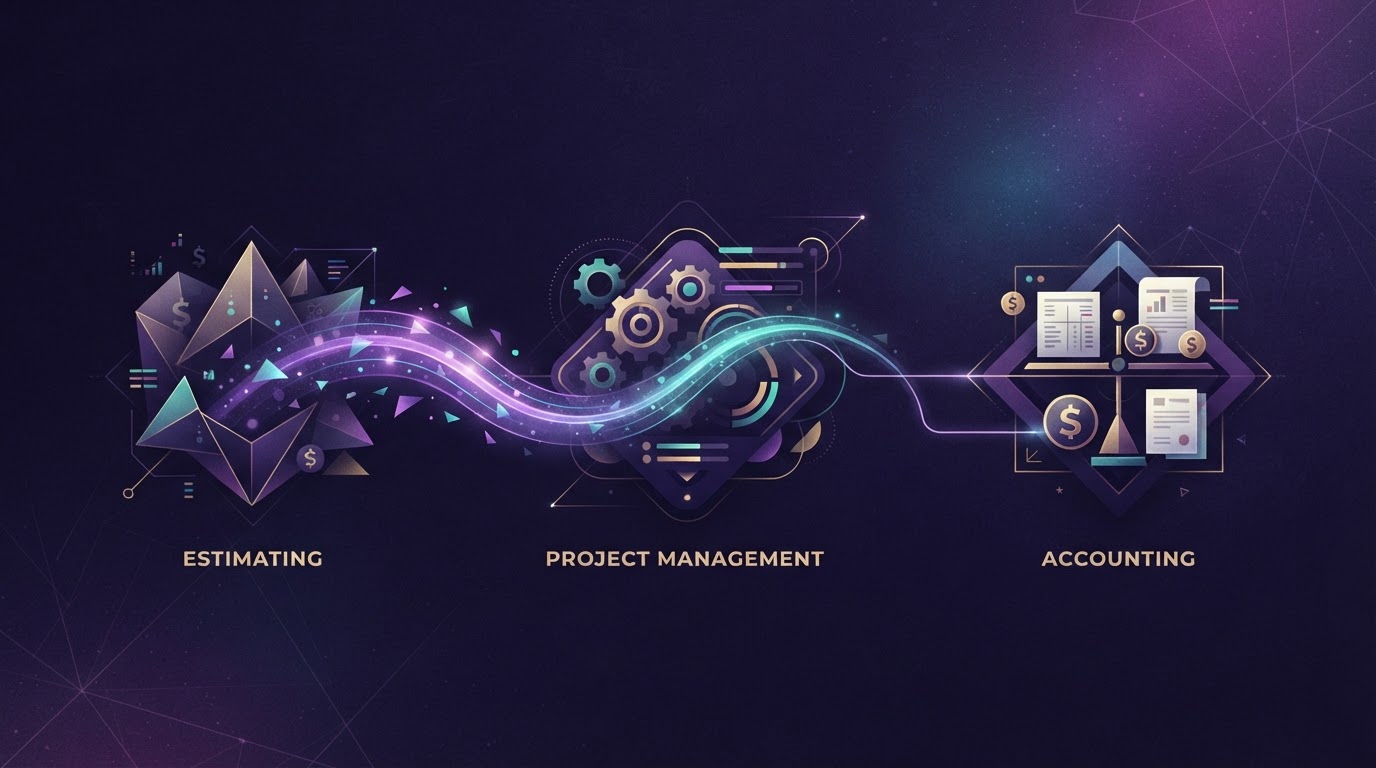
Construction businesses rarely lack systems. They have estimating software, project management tools, accounting platforms and Microsoft 365, each chosen sensibly at the time for a real reason.
The problem is not the individual systems. It is that none of them talk to each other. A scope priced in estimating is typed again to set up the project, then typed again for invoicing. A subcontractor approved in one system is re-entered in another. A variation raised on site is keyed into three places before anyone acts on it.
The result is not one connected business. It is several good systems separated by manual work that nobody owns and nobody has the authority to change.
The short answer
The systems were each chosen well, but nobody owns the joins between them. The fix is connecting what exists — not replacing it — after the information itself is made consistent enough to flow between systems without human re-keying. That means understanding where duplication happens, standardising the information structure, and then building the connections. The LOOKUP Business Modernisation Framework™ provides the sequence.
Where the duplication actually happens
Trace it through a single job. A scope is estimated in the estimating system — line by line, with rates, quantities and exclusions carefully built by an estimator who knows the work. When the job is won, that same scope is re-entered into the project management system to set up the project, create the schedule and assign resources. The estimator's carefully structured breakdown is typed in again, often by a project coordinator who was not part of the estimating conversation and may interpret a line item differently. When the first progress claim is due, the same information is re-entered into accounting to raise the invoice — this time by a finance officer who may not have seen the original scope at all.
Then come variations. A variation raised on site starts with a supervisor or site manager documenting the change. That variation has to be priced — usually in the estimating system, by someone who may not have been on site. It has to be approved — often through an email chain or a approval form that is neither the estimating system nor the project system. Once approved, it is added to the project schedule in the project management system, reflected in the budget, and eventually invoiced through accounting. At each of those steps, the variation's details — scope, value, reason, approval — are entered separately. The same variation, four systems, four entries, and the person who raised it has no visibility of whether it ever reached the invoice.
Progress claims follow their own path. The project manager assesses work completed against the schedule, prepares the claim in the project system, then passes it to finance to raise in accounting. The claim value, the claimed-to-date figures, the retention amount and the variations included are all re-entered. If the client queries a line, the answer lives in the project system, but the query arrives through email and the response is typed into both the project system and the email reply — two versions of the same answer, which may not stay identical.
Purchase orders follow a similar path: raised in the project system or a standalone tool, approved through email or a separate approval workflow, matched to a delivery docket on site, coded to a job, and entered into accounting. Subcontractor records carry their own duplication. A subcontractor engaged on a project is set up in the project system, re-entered as a supplier in accounting, and their insurance details, ABN and bank information may sit in a spreadsheet or a shared drive that is neither system. Site reports, RFI responses and inspection records each find their way into multiple systems through manual handling rather than any designed flow.
None of this is a single large task. It is many small re-entries, each individually reasonable, together consuming the working hours of experienced people who could be doing something more useful. And because each re-entry is done by a different person at a different time, the opportunity for the three versions of the same scope to drift apart is built into the process itself.
Why it persists
Each system is good at its own job. Estimating software estimates well. Project management tools manage projects well. Accounting platforms account well. Nobody made a bad choice. The duplication lives in the gaps between them, and nobody owns the gaps.
The people doing the re-keying — administrators, project coordinators, finance staff — have no authority to change the process. They can see the waste but cannot redesign the joins. The people who can authorise a change rarely see the duplication, because it happens below the level of a management report.
And standardising the joins feels like a project. It sounds technical, it crosses multiple systems, and it is not urgent on any particular day. So it stays, and the re-keying stays with it.
The cost is not only time
The obvious cost is the time spent re-entering information. That is real, but it is often the smaller cost. The larger cost is what duplicate entry produces: disagreement between systems.
When the same scope is entered into estimating, project management and accounting separately, the three versions drift. A line item is missed in one system. A rate is updated in one but not the others. A variation is entered in two places but not the third. Now the systems disagree, and nobody knows which number is correct without checking.
That disagreement produces arguments. The project manager's budget does not match the accounts. The progress claim does not match the project system. Resolving those arguments consumes management attention — the attention of the people who should be running the job, not reconciling the data.
The cost of duplicate entry is not just the hours spent typing. It is the hours spent reconciling, the trust lost between teams, and the decisions made from information that is not consistent across the business.
How this maps to the LOOKUP Business Modernisation Framework™
Reducing administrative overhead follows the same eight-stage sequence: understanding where duplication happens before standardising the information, and standardising before automating the joins.
Understand the current environment
Protect identities, devices and information
Remove legacy technology constraints
Create consistent systems and processes
Improve workflows and productivity
Establish governance and AI readiness
Introduce technology deliberately
Measure, review and continuously improve
Understand the current environment
Protect identities, devices and information
Remove legacy technology constraints
Create consistent systems and processes
Improve workflows and productivity
Establish governance and AI readiness
Introduce technology deliberately
Measure, review and continuously improve
Discover
Map every point where project information is re-entered between estimating, project management, accounting and Microsoft 365, and identify who owns each join — or does not.
Secure
Ensure identity and access controls cover every system holding project or commercial data, so that connections between systems do not widen access beyond what is appropriate.
Modernise
Confirm that existing estimating, project management and accounting platforms are current and capable of integration before investing in connections between them.
Standardise
Define consistent information structures — project names, cost codes, supplier records and variation references — so that data can flow between systems without manual translation.
Optimise
Design workflows and approvals that move information between systems once, with the right person checking it at the right point, rather than re-keying it at every step.
Prepare
Ensure the information feeding any future automation or AI is consistent and structured, because automating on top of disorganised data multiplies the problem.
Implement
Build the connections between existing systems — through integration, shared data structures or workflow automation — one join at a time, proven before the next is added.
Improve
Review which joins are working, where duplication has actually reduced, and where new re-keying has appeared as the business or project mix has changed over time.
The three kinds of administrative work
Not all administrative work is the same, and treating it as one thing leads to the wrong answer. There are three distinct kinds, and each needs a different response.
The first is work that should not exist at all. Information re-entered between two systems because nobody connected them. A variation typed into a project system and then typed again into accounting. A purchase order raised in one tool and re-keyed into another. A subcontractor's bank details entered into the project system, then entered again into accounting because the two do not share a supplier record. This work has no value. It exists only because the joins were never designed. The goal is to eliminate it, not to automate it — automating pointless work just makes it happen faster.
The second is work that is entirely rule-based and should be automated. Routing an approved invoice to the right cost code based on the project it belongs to. Notifying the right person when a document is uploaded to a project folder. Moving a record from "submitted" to "under review" when a defined condition is met. Sending a reminder when a variation has been sitting without approval past a set period. Filing an approved RFI response into the correct project location. These tasks follow clear rules with no judgement required — the same input always produces the same output. They are strong candidates for workflow automation within and between the systems already in place, and they are usually the quickest wins once the information underneath them is consistent.
The third is work that must stay with a person because it requires commercial or technical judgement. Whether a variation is reasonable and properly scoped. Whether a progress claim reflects work actually completed on site, or whether it has been front-loaded. Whether a subcontractor's pricing is competitive or whether it signals a risk to the project. Whether a site report raises an issue that needs immediate action or can be tracked through the normal process. Whether a tender submission is complete or has gaps that would create exposure. This work is real, it is substantial, and it must not be forced into the second category. The point of reducing administrative overhead is to free people to do more of this, not to remove their judgement from the process.
The mistake is assuming everything is category two. Some of it is category one and should disappear entirely. Some of it is category three and should stay exactly where it is — the person doing it should simply have more time to do it well because they are no longer also doing category one. Getting this distinction right is what makes the difference between automation that helps and automation that creates new problems. A business that automates the judgement work does not become more efficient — it becomes less reliable, because the decisions that matter most are now being made by a system that cannot tell when it is wrong.
Connecting rather than replacing
When the problem is framed as "our systems do not talk to each other," the instinct is often to replace one of them. Rip out the estimating tool and buy one that integrates with the accounting platform. Abandon the project management system for something that promises to do everything.
That is usually the wrong answer. The existing estimating system was chosen because it estimates well. The accounting platform accounts well. The project management tool manages projects well. Replacing a working system to solve a connection problem trades a known, understood tool for an unknown one — and the real problem, the joins, may simply reappear in the new environment.
The right answer is almost always to connect what exists. That may mean building a direct integration between two platforms, using a middleware layer to move data between them, designing a workflow in Microsoft 365 that routes information to the right place, or in some cases accepting that a small amount of manual entry is cheaper and safer than a complex integration. The point is to own the joins deliberately rather than leaving them to whoever happens to be doing the typing.
Replacing a system is a valid decision when the system itself is failing — when it no longer meets the business's needs, when the vendor is withdrawing, when the cost is unsustainable. But replacing a working system to solve a connection problem is treating the symptom and ignoring the cause.
What has to be true first
Before any connection or automation can work, the information itself has to be consistent and in a known place. That sounds obvious, but it is the step most often skipped — because it is unglamorous, because it feels like tidying up rather than building something, and because the pressure is usually to "just make it flow."
Consistent information means several concrete things. It means a project is named the same way in every system — not "Smith Residence" in estimating, "Smith Job" in project management and "Job 1042" in accounting. It means cost codes follow the same structure across systems, so that a code in the project system maps directly to the same code in accounting without a person translating. It means each piece of information has one authoritative source — the project schedule lives in the project system, not in a spreadsheet that someone keeps separately because the project system is hard to use. It means supplier records are consistent across systems, so the same subcontractor is not entered twice with slightly different names.
If project names differ between estimating and project management, a connection between them will misroute records. If cost codes are structured differently in the project system and accounting, an automated invoice will land in the wrong place. If supplier records are duplicated or inconsistent across systems, an integration will create duplicates faster than a person would. If the project schedule in the system does not match the one on the site manager's clipboard, no amount of automation will reconcile them — it will just move the wrong version faster.
A single source for each fact means that when someone asks "what is the current contract value," there is one place to look, not three places that may disagree. It means the approved variation value lives in the project system and flows to accounting, rather than being entered in both and hoping they stay in sync. It means the retention amount on a progress claim is calculated from the same data the project manager sees, not re-entered by finance from a different source.
Automating on top of inconsistent information does not remove the inconsistency. It multiplies it. A person re-keying data will notice an obvious mismatch and fix it. An automated process will not. It will faithfully move the wrong data to the wrong place at speed, and the error will surface later — usually in a progress claim, an invoice or a management report — when it is harder to trace and more expensive to correct.
The sequence matters: understand where duplication happens, make the information consistent, then connect the systems. Doing it in any other order produces automation that inherits all the problems it was meant to solve.
How LOOKUP helps
LOOKUP works on the Microsoft 365 environment that sits around the specialist construction systems — the identity, permissions, email, document storage and workflow layer that connects estimating, project management and accounting platforms rather than replacing them.
That work includes configuring SharePoint and Teams so project information has a consistent home, designing approval workflows that route documents and notifications to the right person, and building workflow automation that moves information between systems once rather than requiring it to be re-keyed at every step.
LOOKUP coordinates with estimating, project management and construction accounting platforms and does not replace them. The goal is to own the joins — the points where information moves between systems — so that the business gets the value of each specialist tool without paying the cost of manual re-entry between them.
For businesses in the construction and property development sector, this work is part of a broader technology approach that connects office, project and site teams through a coherent information environment.
Measuring the difference honestly
The question "has this made a difference?" is reasonable, and it deserves an honest answer. The honest answer requires measuring before and after, in the business's own terms, not in a generic productivity metric.
Before means recording what the current state actually looks like. How many times is the same scope entered? How long does it take to raise a progress claim? How many systems does a variation pass through before it is reflected in the budget? These are observable facts, and they establish the baseline.
After means measuring the same things once the connections are in place. Has the re-entry reduced? Has the reconciliation between systems decreased? Are the systems agreeing more often? These are the measures that matter to the business, because they reflect real work and real friction.
One distinction matters: time recovered is not the same as money saved. If a process that took hours now takes minutes, the business has recovered time. Whether that translates to money depends on what the people who were doing that work do with the time they get back. If they take on more project work, there is a commercial return. If they simply do less, the cost has not changed — only the activity has. The business decides what recovered time is used for. The measurement is honest about what was achieved and what still depends on a business decision.
The other outcomes in this series
Improving project information and document control — is everyone on site building from the current drawing, and how to make that answerable without a manual search.
Securing external collaboration and project access — how to grant consultants, subcontractors and clients access properly, and take it back when the project ends.
Preventing invoice and payment-redirection fraud — construction is specifically targeted by invoice fraud, and the controls that stop a fraudulent payment being acted on.
Preparing a construction business for AI — what has to be true before AI is useful, and the decisions that must stay with a person.
Frequently asked questions
No, replacing a working estimating or accounting system is rarely the right answer because the problem is usually the joins between systems, not the systems themselves. The existing tools were chosen because they do their core job well, and replacing one trades a known tool for an unknown one without addressing why information was being re-entered. The better approach is to connect what exists through integrations, middleware or Microsoft 365 workflows, and own the joins deliberately rather than leaving them to whoever happens to be typing.
Duplicate entry hides in the handoffs between systems that nobody owns — scope estimated then re-entered to set up the project, variations typed into project management then re-keyed into accounting, purchase orders raised in one tool and re-entered into another. It accumulates wherever information moves from one system to the next and nobody has been given responsibility for making that movement automatic. The joins are where the waste lives, and they are the last place most businesses look because each individual re-entry seems too small to matter.
Start with the join that causes the most repeated manual entry and the most disagreement between systems, which is usually the link between project management and accounting for progress claims and variations. That connection touches every job, every month and every invoice cycle, so fixing it first reduces friction across the whole business rather than in one corner of it. The right first connection is the one where the same information is being typed in most often and where errors surface latest, because those are the most expensive to correct.
Integrations can break when a system updates its data structure, changes its API, or moves to a new version, which is why connections need an owner and a review cycle rather than being treated as set-and-forget. The risk is real but manageable — most modern platforms maintain backward compatibility, and the businesses that handle this best treat integrations as living connections that are tested after major updates. LOOKUP helps monitor and maintain these connections so a system upgrade does not silently break a workflow that has been running quietly for months.
The joins between systems should be owned by someone with authority to change how information flows, not by the people doing the re-keying, because they usually have no power to fix the process they are stuck inside. In a construction business that is typically a project director, commercial manager or operations lead who understands both the project workflow and the financial workflow. The owner does not need to be technical — they need to be able to decide what the correct flow of information should be, so that whoever builds the connection has a clear specification to work from.
Work that follows a clear rule with no judgement required — routing an approved invoice, notifying the right person, moving a record to the next status — can be automated. Work that requires commercial or technical judgement — whether a variation is reasonable, whether a progress claim reflects work completed, whether a subcontractor's pricing is competitive — must stay with a person. The test is simple: if a reasonably trained person would always reach the same answer given the same inputs, it can be automated. If two experienced people might reasonably disagree, it cannot.
The people doing the re-keying are not made redundant by reducing duplicate entry — they are freed from work that has no value so they can do more of the work that does. Re-entering data between systems is not a role anyone was hired for; it is a byproduct of disconnected systems that grew around them. When that work is removed, those people have more time for project coordination, supplier management, variation tracking and the commercial judgement that actually moves projects forward. Reducing administrative overhead is about redirecting experienced people, not removing them.
The time depends on how many systems are involved, how inconsistent the information currently is, how many projects are active, and how much historical data needs to be addressed before new work can flow cleanly. A business with two systems and a small number of active projects will see value faster than one with five systems and years of inconsistent records. The honest answer is that cleanup is proportional to the complexity that was allowed to accumulate, and the value begins as soon as the first join is working — it does not all have to be done before any of it pays off.
Microsoft 365 can act as the connective layer for document routing, approval workflows, notifications and information storage, using SharePoint, Teams, Power Automate and the identity and permissions infrastructure that already exists in the environment. It is not a replacement for a specialist estimating or accounting platform, and it does not try to be. What it does is provide the shared layer through which those specialist systems can pass information to each other without requiring a person to re-key it at every step.
Measure before and after in the business's own terms — how many times the same scope is entered, how long a progress claim takes, how many systems a variation passes through — rather than using a generic productivity metric. Record the current state first so the baseline is real, then measure the same things once the connections are in place. The measures that matter are the ones that reflect actual work and actual friction in the business, not an abstract efficiency figure that nobody can verify against their own experience.
Automation and AI are different things in this context — automation moves information between systems following rules a person defined, while AI generates or summarises content based on patterns in data. Reducing duplicate entry is primarily an automation problem, not an AI problem, and it should be solved with workflow connections before AI is introduced. Introducing AI on top of disconnected systems does not fix the disconnection; it adds a new layer that inherits all the inconsistency underneath it.
When systems are too different to connect directly, a middleware layer or a Microsoft 365 workflow can sit between them, translating and routing information so each system receives what it needs in the format it expects. Direct integration is cleanest when it is available, but it is not the only option, and in some cases a lightweight middleware approach is more resilient than a direct connection that breaks every time one system updates. The right approach depends on which systems are involved and how much information needs to move between them.
Standardise processes before connecting systems, because automating an inconsistent process moves the wrong data faster rather than fixing it. If project names differ between estimating and project management, a connection will misroute records. If cost codes are structured differently across systems, an automated invoice will land in the wrong place. The sequence is understand the duplication, make the information consistent, then connect the systems — and doing it in any other order produces automation that inherits the problems it was meant to solve.
Reducing administrative overhead does not mean fewer staff — it means the people currently doing re-keying spend less time on work that has no value and more time on work that does. Nobody was hired to re-enter data between systems; that work grew around them because the systems were never connected. Removing it gives experienced people more capacity for project coordination, supplier management and commercial judgement, which is what the business actually needs from them and what they were likely hired to do in the first place.
The first step is to map where the same information is being entered more than once across systems, tracing a single job from estimate through to invoice so the duplication is visible and specific rather than general and abstract. That mapping does not require any technology change — it requires sitting with the people doing the work and watching what they type, where and why. Once the joins are visible, the business can decide which one to fix first, and everything after that is a sequence of deliberate connections rather than a single overwhelming project.
Sources & Further Reading
The following primary and authoritative sources support the research, guidance and industry context discussed on this page:
Australian Signals Directorate (ASD) — Essential Eight Mitigation Strategies
Supports the general security baseline referenced when discussing identity protection, access control and device management as foundations for workflow automation.
View Source →Evidence Standard
LOOKUP references recognised industry, government, professional and technology sources when discussing research, regulation and industry trends. Research findings are paraphrased and linked to their original sources wherever practical. LOOKUP's professional observations and recommendations are presented separately from third-party research.
Book a strategy session
If your construction business is typing the same information into estimating, project management and accounting, the right time to connect those systems is before the duplication grows further. Book a strategy session with LOOKUP to map where the joins sit and build a practical sequence to address them.
Book a Strategy SessionPeter Kantarelis
Founder, LOOKUP — Business Technology Strategist
Peter Kantarelis is the Founder of LOOKUP and a business technology strategist helping Australian organisations modernise technology, strengthen cyber security and prepare for practical AI adoption. He regularly works with business owners and leadership teams to improve productivity, reduce operational risk and implement technology that delivers measurable business outcomes. The LOOKUP Business Modernisation Framework™ reflects more than 25 years of helping Australian businesses make better technology decisions.
View More Insights →